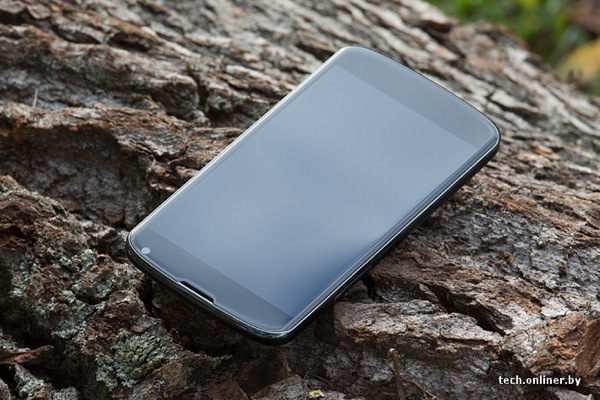
Several pictures of the LG-built Google Nexus 4 have been showing up across the Internet. The featured image in this article really caught my eye because it shows the internals of the device relatively well. While this device has not yet been released, a lot can be said (and judged) about a device’s hardware, even without full board shots. Overall, it appears to show that LG’s build quality is considerably lower than that of the Samsung Nexus devices in the past. In this article, We intend to write about the design pros and cons of the highly anticipated Nexus 4.
Design Pluses
Large external speaker - One of the biggest complaints with Samsung’s designs is the low powered/small sized speaker. While it delivers a trade-off in battery life versus sound quality/quantity, the Nexus 4′s larger speaker should suffice to produce adequate sound.
Good speaker placement - The speaker placement on the Nexus 4 places the speaker at the corner of the device rather than the center, where your palm blocks it in portrait mode. While the Galaxy Nexus forces you to hold the device in an odd position to bounce sound from your palm to your ear while in portrait mode, the Nexus 4 will not have this problem. The corner orientation places the speaker in a optimal position for both landscape and horizontal palm redirection while watching movies. This same orientation can also be seen on the Meizu MX.
Design Minuses
Bolted in battery - The defining line between “Operator Replaceable” and “Qualified Service Technician” is the use of tools. The Nexus 4 not only requires a screw driver, but the plastic tabs on the edges will break if removed improperly. Once those tabs are broken, signal quality will be lost from the connection with the Spring Antenna Connections.
Spring Antenna Connections - The problem with Spring Antenna Connections or simply Spring Connections in general is: When tension is lost, signal is lost. Loss of tension between the back plate and the board can occur when a tab breaks or the back plate is warped. Warping of back plates can occur easily, and is quite frequent as devices age from stress, dropping, impact, or even a day in a hot car. You may notice some old devices such as remote controls or phones will squeak and creek when you press on them. This noise is generally attributed to warping or breakage of tabs, which would be critical for the WiFi/NFC/data/GPS/Bluetooth connections on the Nexus 4.
Lack of impact zones - Many current devices including Samsung’s entire lineup include impact areas around the bolts and the edge of the device. This allows the device to sustain impact without altering the physical structure of the board, causing components to come lose. The absence of impact areas causes a device to be more fragile and less resistant to impacts. This also increases a device’s warpage risk, which can alter device dimensions and cause the Spring Connections to fail.
Tape used instead of structure and shielding - A well designed device will use its own structure to hold components in place. Tape is a disposable part. Disposable parts have no place inside of a properly designed device. The disadvantage here is tape can take components off the board when removed. Tape is also messy, and leaves residue on a board and other components. There is never a situation when using tape instead of physical structure is required, and the use of tape is often a harbinger for other build quality problems.
Recommendations for next revision
Make the speaker grill bigger - A speaker grill is designed to keep the operator’s fingers out, not to keep water out. The small size of the speaker grill on the Nexus 4 will impede speaker sound and motion, and thus the overall dB level. This physical obsturction means the speaker wastes power on compression of air rather than audible sound creation.
Replace the battery tape - Instead of using tape for the battery, a slight overhang at the bottom of the metalized battery section will suffice to keep the battery from moving around inside the device. Another way is to place glue or double-sided tape on the bottom of the battery.
Replace the communications tape - Instead of metalized tape on the communications section of the board, use a physical shield cap, which makes it serviceable and more tidy.
Use impact zones - Impact zones prolong device life.
Use a physical connector and a film substrate for the back cover - The back cover of the device consists of several separate connections spread across the entire device. This means warpage anywhere in that area can cause the device to lose connectivity. The primary focus of a mobile device is connectivity, and that should not be trusted to spring connections. The spring connections should be replaced with a physical connector of some sort. A physical connector would also save space.
Do not bolt down batteries - Batteries should be easily removable in the event of a problem. Getting the rear cover off is enough work. The compression method has been trusted across the spring connectors on the board, which are held in place solely by pressure. A proper connector holds itself in place. A slight bit of foam-rubber would do the same job as a spring, save space, save tools and remove the need for “tools” when replacing the battery.
Do not put the IMEI on the back cover – There will surely be aftermarket accessories for the device or people who want to replace the back cover, or add an extended battery. The IMEI should be on the board, or at least bolted to the device.
At first glance, the Nexus 4′s hardware appears to be a quality downgrade from the Galaxy nexus. After release we hope to be able to give a much better analysis.
[Photo Credit: Reddit]
Source:XDA